
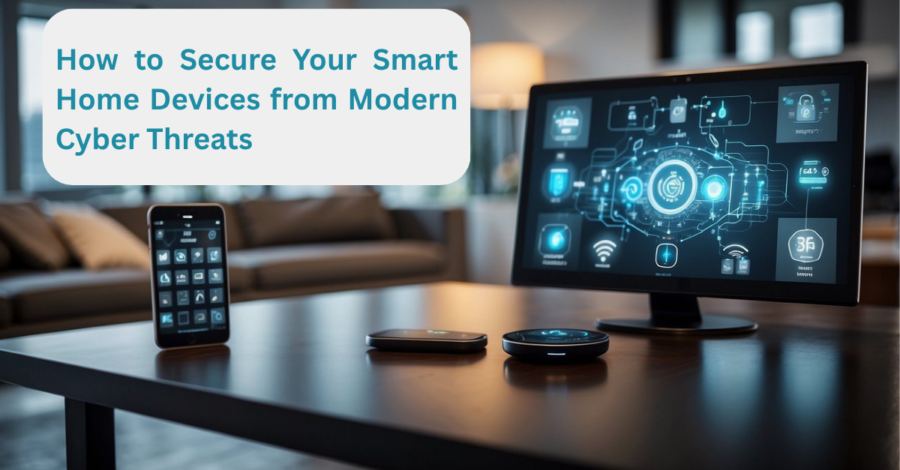
How to Secure Smart Home Devices from Modern Cyber Threats: A Complete Guide
Learn how to secure smart home devices from modern cyber threats with expert tips, best practices, and the latest cybersecurity recommendations.
Smart homes have transformed everyday living across the United States. From smart thermostats and security cameras to voice assistants and connected appliances, homeowners enjoy greater convenience, energy efficiency, and control than ever before.
However, every internet-connected device also creates a potential entry point for cybercriminals. As homes become increasingly connected, cybersecurity is no longer just an issue for businesses—it has become a household responsibility.
Protecting your secure smart home devices is essential for safeguarding your privacy, personal information, and even your physical security. Understanding today’s cyber threats and following proven security practices can dramatically reduce your risk.
This guide explains why smart home security matters, how cyberattacks happen, and the most effective ways to keep your connected home protected.
Why Smart Home Security Matters
Smart home technology continues to grow rapidly throughout the United States. Millions of households now rely on connected devices for entertainment, home automation, energy management, and security.
Unfortunately, many smart devices were designed with convenience in mind rather than cybersecurity.
Unlike traditional computers, Internet of Things (IoT) devices often receive fewer security updates, use weaker default settings, or lack advanced protection features.
When one vulnerable device is compromised, hackers may gain access to your:
- Home Wi-Fi network
- Personal accounts
- Security cameras
- Smart locks
- Voice recordings
- Financial information
- Other connected devices
The more connected your home becomes, the more important it is to build strong digital defenses.
Understanding Modern Cyber Threats
Today’s cybercriminals use increasingly sophisticated techniques to target smart homes.
Weak Password Attacks
Many users never change factory-default passwords.
Hackers maintain databases of common default usernames and passwords and use automated software to test thousands of devices in minutes.
Simple passwords also remain one of the leading causes of unauthorized access.
Outdated Firmware
Manufacturers regularly release firmware updates to fix newly discovered security vulnerabilities.
Devices running outdated software become attractive targets because attackers already know how to exploit known weaknesses.
Ignoring updates leaves your devices exposed.
Unsecured Wi-Fi Networks
Your home Wi-Fi acts as the gateway to every connected device.
Weak encryption or poor router settings make it easier for attackers to intercept traffic or gain network access.
A compromised router often means every connected device is also at risk.
Phishing and Account Theft
Many smart home platforms rely on cloud accounts.
Cybercriminals frequently send fake emails or text messages pretending to come from trusted companies.
Once login credentials are stolen, hackers may remotely access connected devices.
Malware and Botnets
Some vulnerable smart devices become part of massive botnets.
Instead of stealing data directly, attackers secretly use compromised devices to launch larger cyberattacks against businesses, governments, or other users.
Owners often never realize their devices have been infected.
Common Smart Home Devices That Need Protection
Nearly every connected device deserves attention.
Examples include:
- Smart speakers
- Smart TVs
- Video doorbells
- Security cameras
- Smart locks
- Wi-Fi routers
- Smart thermostats
- Connected lighting systems
- Baby monitors
- Smart refrigerators
- Smart plugs
- Wearable health devices
Even seemingly harmless devices can expose valuable information if left unsecured.
Best Practices to Secure Smart Home Devices
Use Strong, Unique Passwords
Each linked device ought to have a unique password.
Avoid using:
- Birthdays
- Pet names
- Simple number sequences
- The same password across multiple devices
Password managers can be used to create and securely store complex passwords.
Enable Multi-Factor Authentication (MFA)
Whenever available, enable multi-factor authentication.
Even if someone steals your password, MFA requires an additional verification step before account access is granted.
This simple feature significantly improves account security.
Update Firmware Regularly
Software updates often include critical security patches.
Enable automatic updates whenever possible.
If automatic updates are unavailable, check the manufacturer’s website or mobile app regularly for new firmware releases.
Secure Your Home Wi-Fi Network
Your wireless network is the foundation of smart home security.
Follow these recommendations:
- Use WPA3 encryption if supported.
- Replace the default router password.
- Rename your Wi-Fi network.
- Disable remote management unless necessary.
- Restart your router periodically.
- Update router firmware.
A secure router helps protect every connected device.
Create a Separate Network for Smart Devices
Many modern routers allow users to create guest or dedicated IoT networks.
Separating smart devices from computers, phones, and work devices limits the damage if one device becomes compromised.
Network segmentation is increasingly recommended by cybersecurity professionals.
Disable Features You Don’t Use
Many devices include:
- Remote access
- Microphones
- Cameras
- Bluetooth
- Voice recording
If these features are unnecessary, turn them off.
Reducing unnecessary functionality also reduces potential attack surfaces.
Buy Devices From Reputable Manufacturers
Not every smart device receives long-term security support.
Before purchasing, consider:
- Update history
- Security reputation
- Privacy policies
- Length of software support
Well-supported devices typically receive security updates for years after release.
Review Privacy Settings
Many smart devices collect usage information.
Review available privacy options during setup.
Consider limiting:
- Voice recording storage
- Location sharing
- Data collection
- Third-party integrations
Understanding what information your devices collect helps protect your personal privacy.
Monitor Connected Devices
Regularly review which devices are connected to your network.
Unknown devices could indicate unauthorized access.
Many routers now provide apps that display every connected device, making monitoring much easier.
Replace Unsupported Devices
Older smart devices eventually stop receiving security updates.
If a manufacturer no longer supports a device, replacing it may be safer than continuing to use outdated software.
While replacement carries an upfront cost, it can reduce long-term cybersecurity risks.
Recent Developments in Smart Home Security
The smart home industry has made significant progress in recent years.
Manufacturers are placing greater emphasis on cybersecurity by introducing:
- Automatic security updates
- Better encryption
- Improved authentication methods
- Secure device onboarding
- Enhanced privacy controls
At the same time, cybersecurity experts continue to warn that attackers are becoming more organized and increasingly automate attacks against internet-connected devices.
Artificial intelligence has also begun influencing both cybersecurity defense and cybercrime. While AI helps detect suspicious behavior more quickly, attackers also use automation to identify vulnerable devices at greater speed.
As smart homes continue expanding, security remains a moving target rather than a one-time setup.
Expert Opinion: Security Is Not a Product, But a Habit
Many homeowners assume purchasing an expensive smart device automatically provides strong security.
In reality, cybersecurity depends more on user behavior than device cost.
Simple habits such as updating software, enabling multi-factor authentication, changing passwords, and reviewing connected devices often provide stronger protection than expensive hardware alone.
Cybersecurity experts consistently emphasize layered security.
No single solution prevents every attack.
Instead, combining multiple protective measures significantly reduces overall risk.
Just as homeowners lock doors and install smoke detectors, digital security should become a routine part of home maintenance.
What Happens Next?
Smart homes will continue becoming more intelligent through artificial intelligence, automation, and connected ecosystems.
Future devices will likely communicate with one another more seamlessly while handling increasingly sensitive personal information.
Governments, technology companies, and cybersecurity organizations are expected to strengthen security standards for connected devices.
Consumers can also expect:
- Longer software support periods
- Better privacy controls
- Stronger encryption
- More secure default settings
- Easier security management through mobile apps
However, cybercriminals will continue evolving their tactics.
Maintaining good cybersecurity practices will remain essential regardless of future technological improvements.
Frequently Asked Questions
1. Can hackers really access smart home devices?
Yes. Devices with weak passwords, outdated software, or poor security settings can become targets for unauthorized access.
2. What is the most important smart home security step?
Using strong, unique passwords together with multi-factor authentication provides one of the most effective first layers of protection.
3. Should I update my smart devices regularly?
Absolutely. Firmware updates often fix newly discovered security vulnerabilities and improve device protection.
4. Is public Wi-Fi safe for controlling smart home devices?
Public Wi-Fi carries additional risks. If remote access is necessary, use secure connections and avoid logging into sensitive accounts on unsecured networks whenever possible.
5. How frequently should I check the security of my smart home?
Review your devices every few months or whenever you add new connected equipment. Regular security checks help identify outdated software, unused accounts, and suspicious activity.
Conclusion
Smart home technology offers tremendous convenience, but every connected device introduces potential cybersecurity risks. Protecting your digital home requires more than purchasing the latest gadgets—it demands ongoing attention to security best practices.
Strong passwords, software updates, secure Wi-Fi settings, multi-factor authentication, and careful device management work together to create multiple layers of defense against modern cyber threats.
As connected homes become increasingly common across the United States, homeowners who make cybersecurity a regular habit will be better prepared to protect their privacy, finances, and families. By taking proactive steps today, you can enjoy the benefits of smart technology while minimizing the risks that accompany an increasingly connected world.